Sunset Procreate Color Palette: Transform Your Digital Art with Golden Hour Magic
What Is the Sunset Procreate Color Palette?
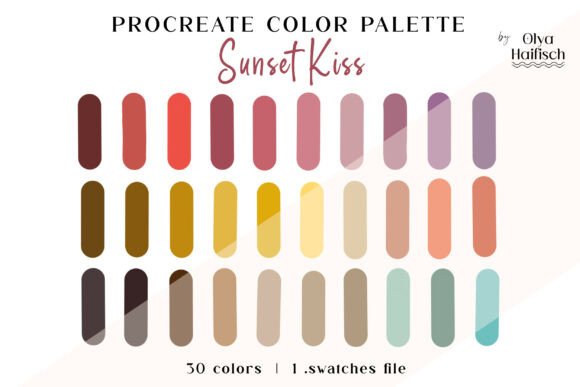
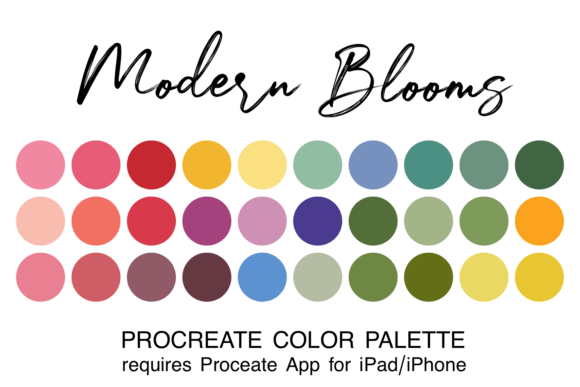
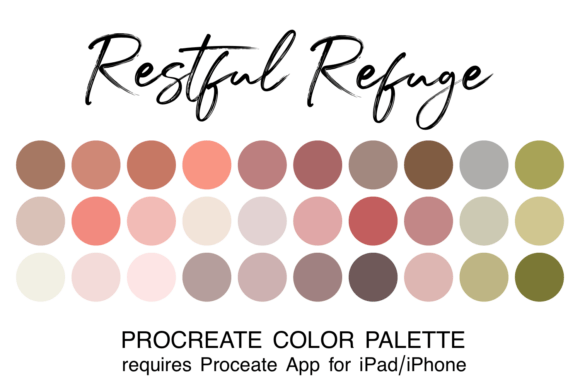
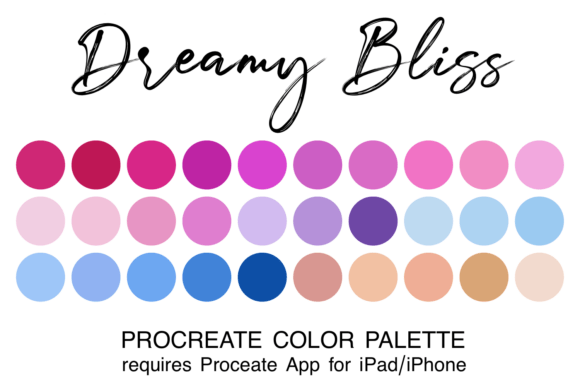
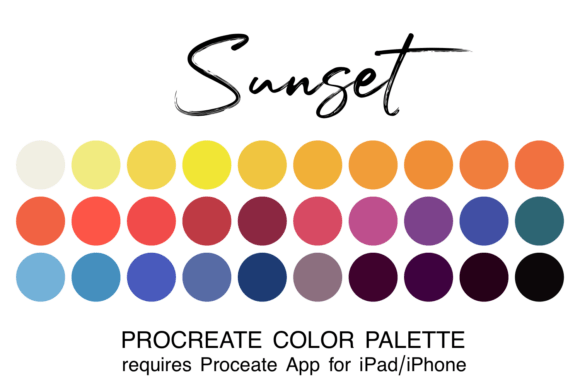
The Sunset Procreate Color Palette is a curated collection of 30 harmonious hues inspired by the breathtaking colors of golden hour sunsets. This palette transitions from warm yellows and oranges into rich corals, deep purples, and sophisticated blues—perfect for capturing the warmth and atmosphere of a setting sun. Designed specifically for digital artists using the Procreate app, this .swatch file makes it easy to access and apply a cohesive color scheme to your artwork with just a tap.
Why Artists Need a Themed Color Palette Like Sunset Procreate
For many digital artists, choosing the right colors can be a time-consuming challenge. Whether you're creating landscapes, portraits, or illustrations, a disjointed color scheme can disrupt the mood and flow of your work. The Sunset Procreate Color Palette eliminates the guesswork, allowing you to focus more on your creative process and less on color selection. It’s especially useful for artists aiming to evoke emotion, atmosphere, or a sense of time and place in their digital creations.
How the Sunset Procreate Color Palette Solves Real Artistic Challenges
Artists often struggle with color harmony, especially when trying to replicate the soft gradients and layered tones of natural light. The Sunset Procreate Color Palette addresses this by offering a pre-matched set of colors that blend seamlessly. Here’s how it helps:
- Time-saving: No need to mix or search for compatible colors—everything you need is in one file.
- Consistency: Maintain a unified look across multiple pieces or layers in a single artwork.
- Emotional impact: The warm, layered tones of sunsets naturally evoke feelings of peace, nostalgia, and wonder.
Practical Applications for the Sunset Procreate Color Palette
Whether you're a beginner or a seasoned illustrator, the Sunset Procreate Color Palette offers a wide range of creative possibilities. Here are a few practical applications:
- Atmospheric Landscapes: Use the palette to create vibrant skies, warm deserts, or glowing seascapes that capture the magic of golden hour.
- Portrait Highlights: Apply subtle sunset tones to skin highlights, hair, or background elements to add warmth and depth.
- Illustration Mood: Whether you're designing book covers, concept art, or social media graphics, sunset colors can enhance storytelling and visual appeal.
- UI/UX Design: Incorporate sunset gradients into app interfaces or website backgrounds for a soft, inviting aesthetic.
How to Install and Use the Sunset Procreate Color Palette
For beginners, getting started with the Sunset Procreate Color Palette is straightforward. Once you've downloaded the zipped file, follow these steps:
- Open the Files app on your iPad or iPhone.
- Navigate to the Downloads folder and locate the unzipped .swatch file.
- Tap the file—Procreate will automatically import the palette.
- Open Procreate, tap the colored dot in the top right corner, and select your new palette under the Palettes tab.
Once installed, the palette will be available across all your future projects, making it easy to maintain a consistent color theme without repetitive setup.
Who Benefits Most from the Sunset Procreate Color Palette?
While the Sunset Procreate Color Palette is a great tool for any digital artist, certain users will find it particularly beneficial:
- Landscape artists: Capture the soft gradients and rich tones of evening skies with ease.
- Character designers: Use sunset hues to create expressive skin tones, clothing, or magical environments.
- Beginners: Learn color theory by working with a pre-balanced palette that teaches natural color transitions.
- Freelance illustrators: Speed up client projects by using a palette that delivers professional results quickly.
Customizing Your Sunset-Inspired Art Experience
While the Sunset Procreate Color Palette offers a ready-to-use solution, artists can also tweak and expand upon it to suit their unique needs. For example:
- Adjust individual color opacity to create soft glows or atmospheric depth.
- Combine with neutral or complementary palettes for contrast and balance.
- Use the palette as a base for creating custom brushes or gradient maps in Procreate.
By treating the palette as a foundation rather than a limit, artists can explore new creative directions while maintaining the emotional warmth of a sunset theme.
Maximizing the Impact of Sunset Colors in Your Art
To get the most out of the Sunset Procreate Color Palette, consider these best practices:
- Layer colors: Build depth by layering lighter and darker tones to mimic natural light transitions.
- Use soft brushes: Blending sunset colors with soft-edged brushes enhances realism and atmosphere.
- Experiment with lighting: Try different lighting effects to highlight the warmth of the palette in your compositions.
These techniques can help you create more immersive and emotionally resonant artwork, especially when working on scenes that rely on mood and time of day.
Conclusion: Elevate Your Digital Art with the Sunset Procreate Color Palette
In the world of digital art, having the right tools can make all the difference—and the Sunset Procreate Color Palette is one such tool that brings both efficiency and beauty to your workflow. Whether you're painting a serene landscape, designing a vibrant illustration, or simply experimenting with color, this palette offers a seamless way to infuse your work with the magic of golden hour. By streamlining your color choices and enhancing your creative process, the Sunset Procreate Color Palette empowers you to focus on what truly matters: your art.