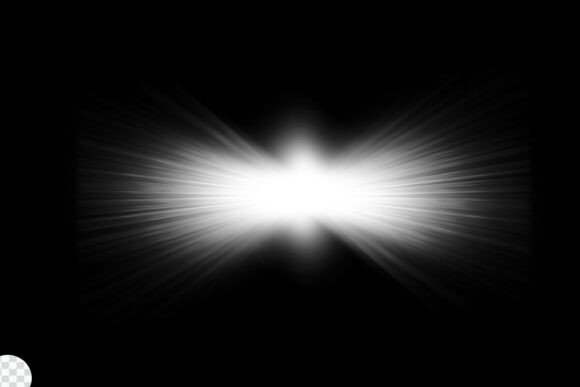
Lens Flare Light Effects: Creative Uses and Practical Applications
Understanding Lens Flare Light Effects
Lens flare light effects occur when light scatters within a camera lens, often creating bright streaks, halos, or circular shapes across an image. While traditionally seen as a technical flaw, modern photography and digital design have embraced lens flare as a powerful visual tool. Whether you're enhancing a photo in Photoshop or adding cinematic flair to a video, understanding how to control and manipulate lens flare light effects can elevate your creative work.
With the right tools — like a downloadable Photoshop file or fully editable JPG — anyone can apply lens flare effects with precision and flexibility. These resources make it easy to simulate realistic light interactions without needing advanced photography skills.
Where Lens Flare Light Effects Shine
Photographers, designers, and video editors across industries use lens flare light effects to enhance storytelling and mood. Here are some real-world situations where this technique proves invaluable:
- Cinematic storytelling: In film and video production, lens flares are used to emphasize light sources, create atmosphere, or guide the viewer's eye. Think of how a sunrise scene gains drama when the sun peeks through a forest, casting visible rays across the frame.
- Commercial photography: Product shots, especially for luxury or lifestyle brands, often incorporate subtle lens flares to suggest high-end lighting and add visual interest.
- Web and app design: UI designers use flare overlays to simulate light reflections on buttons, icons, or background elements, giving interfaces a more dynamic and polished look.
- Photography editing: Portrait and landscape photographers sometimes add lens flare to photos taken in low-light conditions to simulate natural sunlight or artificial light sources.
How Different Users Benefit
Depending on your creative goals and technical background, lens flare light effects can serve a variety of purposes. Here’s how different users apply them effectively:
- Graphic designers: Use lens flare overlays to add energy to posters, banners, and promotional materials. For example, a music festival poster might include a radial flare to symbolize excitement and movement.
- Video editors: Incorporate lens flares in transitions or to highlight light sources in a scene. This can make footage feel more cinematic and immersive, especially when working with green screen or CGI elements.
- Photographers: Add lens flare during post-processing to simulate natural lighting conditions that weren’t captured in-camera. This is especially useful for indoor or studio shots that lack environmental light sources.
- Content creators: Use lens flare effects in thumbnails or social media posts to draw attention and create visual hierarchy. The light burst can act as a subtle highlight around a subject’s face or product.
Common Considerations Before Applying Lens Flare
While lens flare light effects can be incredibly effective, they should be used thoughtfully. Overuse or improper application can distract from the main subject or feel artificial. Here are a few things to keep in mind before you start editing:
- Natural alignment: Make sure the direction and intensity of the flare aligns with the existing light source in the image. A mismatched flare can break the illusion of realism.
- Color and tone: Choose a flare that complements the overall color grading of your project. A warm golden flare may not fit with a cool-toned image unless used for contrast intentionally.
- Opacity and blending: Don’t go full strength right away. Start with a low opacity and adjust based on how the flare interacts with shadows, highlights, and textures in the image.
- File quality: If you're using a Photoshop file or JPG, ensure it’s high resolution and layered so you can tweak individual components like glow, streaks, and halos separately.
Strengths and Limitations of Lens Flare Light Effects
Like any design element, lens flare light effects come with their own set of pros and cons. Knowing when and how to use them will help you make the most of their visual impact:
Strengths:
- Visual interest: Adds depth and movement to static images or videos.
- Professional polish: Mimics high-end camera effects that can elevate amateur work.
- Versatility: Works across a wide range of media including photos, videos, and digital illustrations.
- Customization: With a fully editable file, you can adjust colors, intensity, and positioning to fit your project perfectly.
Limitations:
- Overuse: Too much flare can look cheesy or distract from the main content.
- Unrealistic results: Poorly placed flares can break immersion, especially in photo-realistic work.
- Compatibility: Some effects may not render well on all screens or in print, so test across platforms if needed.
- Learning curve: Understanding how light behaves in real life takes time, and replicating that digitally can be tricky without practice.
White Lens Flare Effects: A Special Case
Among the many types of lens flare effects, white lens flare is especially versatile. It mimics the look of natural sunlight hitting a lens directly, often producing a clean, bright glow with soft streaks. White flares are ideal for:
- Brightening dull scenes: Adding a soft white flare can simulate sunlight filtering through a window or reflecting off a surface.
- Highlighting focal points: Use a white flare to subtly draw attention to a subject’s face, a product, or a logo.
- Creating contrast: When placed over darker areas, a white flare adds contrast and dimension without overpowering the image.
Many designers prefer using white lens flare effects because they blend well with most color schemes and don’t skew the overall tone of the image. Whether you're designing a website, editing a photo, or creating a motion graphic, a white flare overlay can be a subtle but effective enhancement.
Choosing the Right Tools
When working with lens flare light effects, having the right tools makes all the difference. A downloadable Photoshop file gives you full control over the flare’s appearance, allowing you to adjust layers, masks, and blending modes. Similarly, a high-quality JPG file can be used in a variety of software platforms, making it accessible even for beginners.
Look for packages that include multiple flare types — streaks, circles, halos — so you can mix and match based on your needs. Fully editable files are especially valuable when you want to tweak colors or intensity to better match your project’s lighting conditions.